Silence & sleep
Noisy ceiling fan: diagnose and eliminate every sound, step by step
Published on ·7 min read
A noisy ceiling fan is never a mystery, it is a symptom. Every type of sound, clicking, wobbling, humming, rubbing, or an overly strong rush of air, points to a precise mechanical or electrical cause, and almost all of them can be corrected in minutes with a screwdriver and a little method. The diagnosis starts with your ears: each noise has a signature.
This guide works like a service consultation. For every sound, you will find the probable cause, the exact corrective step, and the way to confirm the problem is gone. You will also learn to recognise the one case where noise signals the end of the unit's life, and what a well-designed fan should achieve in normal operation: between 28 and 34 dB, whisper territory.
Metallic clicking: the hardware has worked loose
Clicking, that small, sharp tick that follows the rotation rhythm, is the most common noise and the easiest to cure. In the vast majority of cases it comes from a screw that has loosened under accumulated vibration: the light kit cover, glassware sitting slightly off in its holder, or the screws fixing the blades to their arms. The sound is misleading, it seems to come from the motor while it is actually born from a peripheral part vibrating against another.
The remedy is one word: tighten. Cut the power, then work through every screw methodically, one by one, without forcing, the light kit and its glassware first, then the screws joining each blade to its arm, finally the arms to the motor housing. Restart the fan at medium speed: if the clicking is gone, the diagnosis was right. If it persists, move to the next hypothesis, imbalance.
- ·Light kit cover and glassware screws: the number one source of clicking
- ·Blade-to-arm and arm-to-motor screws: retighten one by one, power off
- ·Objects resting on the blades or nearby (curtain rod, pendant): move them away
Wobble and swaying: unbalanced blades
If the fan visibly sways or produces a dull, cyclical noise that grows with speed, you are dealing with imbalance: the blades no longer present the same weight or angle, and the rotor spins off-centre. The most common cause is also the most overlooked, dust. It settles unevenly along the leading edge of the blades and is enough to throw the rotation off axis. Start with a full clean of both faces of every blade, using a slightly damp cloth.
If the wobble persists, check that every blade is screwed down fully and that no arm is bent, then use a balancing kit: a test clip you move along each blade to identify the one throwing off the set, and an adhesive weight to compensate. The operation takes fifteen minutes and turns a shaky unit into a perfectly stable rotation. This is exactly the adjustment that factory balancing, on profiled ABS or solid wood blades, makes unnecessary on a quality fan.
- ·Step 1: dust both faces of every blade, the number one cause of imbalance
- ·Step 2: check blade tightness and arm alignment
- ·Step 3: balancing kit, test clip first, then adhesive weight
Electrical humming: the wall dimmer is the culprit
A continuous, low-pitched hum, most audible at reduced speeds, is usually not mechanical but electrical. The classic culprit: a wall dimmer designed for lamps, used to drive the motor. These dimmers chop the current in a way that bulbs tolerate but motor windings do not, the coils vibrate at the chopping frequency and produce that characteristic drone, impossible to remove with any amount of tightening.
The solution is not to adjust but to remove the intermediary: a ceiling fan must be controlled by its remote or dedicated controller, never by a lamp dimmer. This is why our models ship with their remote included, driving the motor through the speed steps the manufacturer designed, with no parasitic chopping. If your installation has a wall dimmer inherited from the previous light fixture, replace it with a simple switch and let the remote manage the speeds.
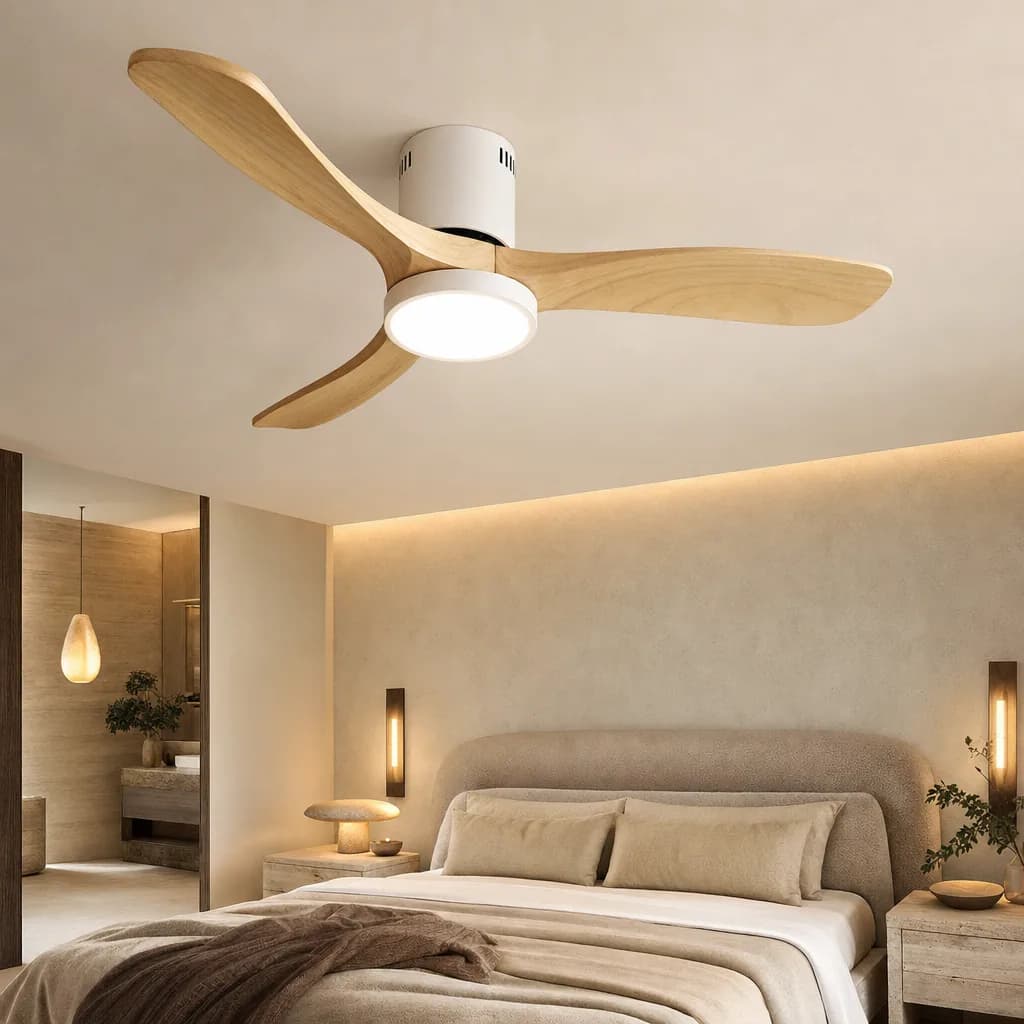
The Horizon 132
Ultra-flat · Ø 132 cm · Made for low ceilings
- ✓Flush-mount profile: ideal under 2.40 m ceilings
- ✓Large 132 cm diameter, covers up to 30 m²
- ✓Reversible blades, light or dark wood finish
€309€389
Rubbing and scraping: play in the ceiling mount
A rubbing or scraping noise, often irregular, indicates that two parts are touching when they should not. The priority check: the ceiling mount. If the bracket has loosened slightly, the fan body drops a few millimetres and the canopy, the decorative cover hiding the mount, can start rubbing against a moving part. The same symptom appears when the canopy itself has slid along the downrod.
Cut the power, lower the canopy and check the bracket screws on their mounting box: every screw must be firm, with no perceptible play when you gently test the assembly. Then reposition the canopy so it touches no rotating part. This ceiling-mount check deserves to be repeated once a year, it governs both the silence and the safety of the installation.
Too much air noise: a diameter too small, spinning too fast
One 'noise' remains that is neither a defect nor a failure: the sound of the air itself. If it dominates, it is almost always the sign of an undersized fan. A small diameter has to spin fast to move the room's air volume, and that speed is what generates the audible turbulence at the blade tips. No tightening will change anything, the problem is a sizing decision, not a maintenance issue.
The physics of comfort points the other way: a large diameter turning slowly moves as much air as a small one at full speed, with a far more discreet airflow. That is the design principle behind the Horizon 132: a generous span, an ultra-flat 25 cm body suited to standard ceilings, and a DC motor that reaches inaudible low night speeds, 33 dB at most. Remember the logarithmic scale of sound: +10 dB is perceived as twice as loud, so every decibel saved by slow, large-diameter air movement genuinely counts.
Prevention, maintenance, and when noise signals end of life
The best way to deal with noise is never to let it settle in. Three factors do most of the work: factory-balanced blades, in profiled ABS or solid wood, which remove imbalance at the source; a copper-wound motor, preferably DC, because DC vibrates less and allows low night speeds; and minimal annual maintenance, dusting the blades and retightening the hardware, ten minutes that prevent nearly every noise described here.
There remains one case that no simple gesture repairs: a continuous rumble or grinding coming from the heart of the motor housing, present at every speed and unaffected by tightening or balancing. That is the bearings reaching the end of their life. On an entry-level unit, this diagnosis usually means replacement. This scenario is also why our fans carry a 2-year warranty with European after-sales service: a rumbling bearing during the warranty period is a service case, not an expense.
- ·Factory blade balancing: imbalance handled before installation
- ·DC motor: less vibration, silent low night speeds
- ·Annual maintenance: blade dusting plus hardware retightening
- ·Continuous motor rumble at every speed: bearings at end of life, a warranty case
A noisy ceiling fan is diagnosed by ear: clicking, you tighten; wobbling, you dust then balance; humming, you drop the wall dimmer for the remote; rubbing, you resecure the ceiling mount. Only bearing rumble escapes the screwdriver, and that is what the warranty is for. A well-engineered fan, factory-balanced blades and a DC motor, has almost nothing to correct in the first place: our models run between 28 and 34 dB, whisper territory, and the Horizon 132 tops out at 33 dB at full speed.
Frequently asked questions
Why is my ceiling fan making a clicking noise?+
A regular clicking almost always comes from hardware loosened by vibration: light kit screws, glassware sitting off in its holder, or blade fixing screws. Cut the power and retighten every screw methodically, from the light kit to the blades and then the motor housing. In the vast majority of cases the noise disappears immediately.
How do I balance the blades of a wobbling ceiling fan?+
First dust both faces of every blade, unevenly deposited dust is the leading cause of imbalance. Then check blade tightness and arm alignment. If the wobble persists, use a balancing kit: a test clip identifies the offending blade, and an adhesive weight compensates for the imbalance.
Can I use a wall dimmer with a ceiling fan?+
No, never a dimmer designed for lamps: it chops the current and makes the motor hum, an electrical noise no tightening can remove. A ceiling fan must be driven by its remote or dedicated controller. SEY Maison models ship with the remote included, so no wall dimmer is required.
How quiet should a well-designed ceiling fan be?+
A well-engineered ceiling fan runs between 28 and 34 dB, whisper territory at around 30 dB. Since the decibel scale is logarithmic, +10 dB is perceived as twice as loud, so this low level makes a real difference at night. The DC-motor Horizon 132, for example, tops out at 33 dB at full speed.
The SEY Maison Circle
Every month, an exceptional piece. Never reissued.
The Drops principle: one high-end furniture piece per month, in a numbered edition. Once it's gone, it never comes back. Circle members are notified 48 h early, access each drop 24 h before everyone else, and receive our guides before publication.
Discover the Drops →